Where was I?
March 18, 2026
It is quite easy to get distracted or disturbed while in the middle of a task. When on a computer, I'm often in a terminal. I just realized a very easy way to know what to return to:
echo "Drop triggers"
Hope this helps, future me.
Introducing pgtui, a Postgres TUI client
March 16, 2026
terminal, database, rust | permalink
A couple years ago or so, I had an idea: "Write in markdown, save in database. This is how I'd like to interact with a database: use my favorite text editor and markdown to create a record (and mostly I'm thinking blog posts and the like), then that gets parsed out and stored in a database to get all the benefits of a database."
Since then, the idea has evolved slightly, but not terribly much. Rather than markdown, it's TOML, though it could be markdown (or HTML or plaintext or, I suppose, something else entirely) within the TOML. (And that is exactly how I'm writing at the moment.)
Mostly, it's been a lot of work to implement the idea, and pgtui, a Postgres TUI client, is the result. Since the initial 0.1 release in April 2025, which was just a placeholder, there have been many features added and even more bugfixes. One of the more difficult things was figuring out how to go back and forth between TOML and Postgres types, and sqlx was leaned on quite heavily for that. The toml library and ratatui were also crucial in development.
Here are the main features:
- browse all non-system relations of a database
- sort and filter those relations
- view relation definitions/descriptions (this is the one part of the client where
psqlis used, though I plan on removing that reliance at some point) - browse paginated data in tables
- sort data by column
- filter data by writing a where clause
- insert new records into a table (using your favorite terminal editor, of course)
- edit records, with the ability to abandon midway (again, in a terminal editor)
- view-only mode in editor
- delete records (with confirmation required)
- multi-column primary key support
- store database connections in a configuration file, switch between them
- in-client display of all available controls
Screenshots:
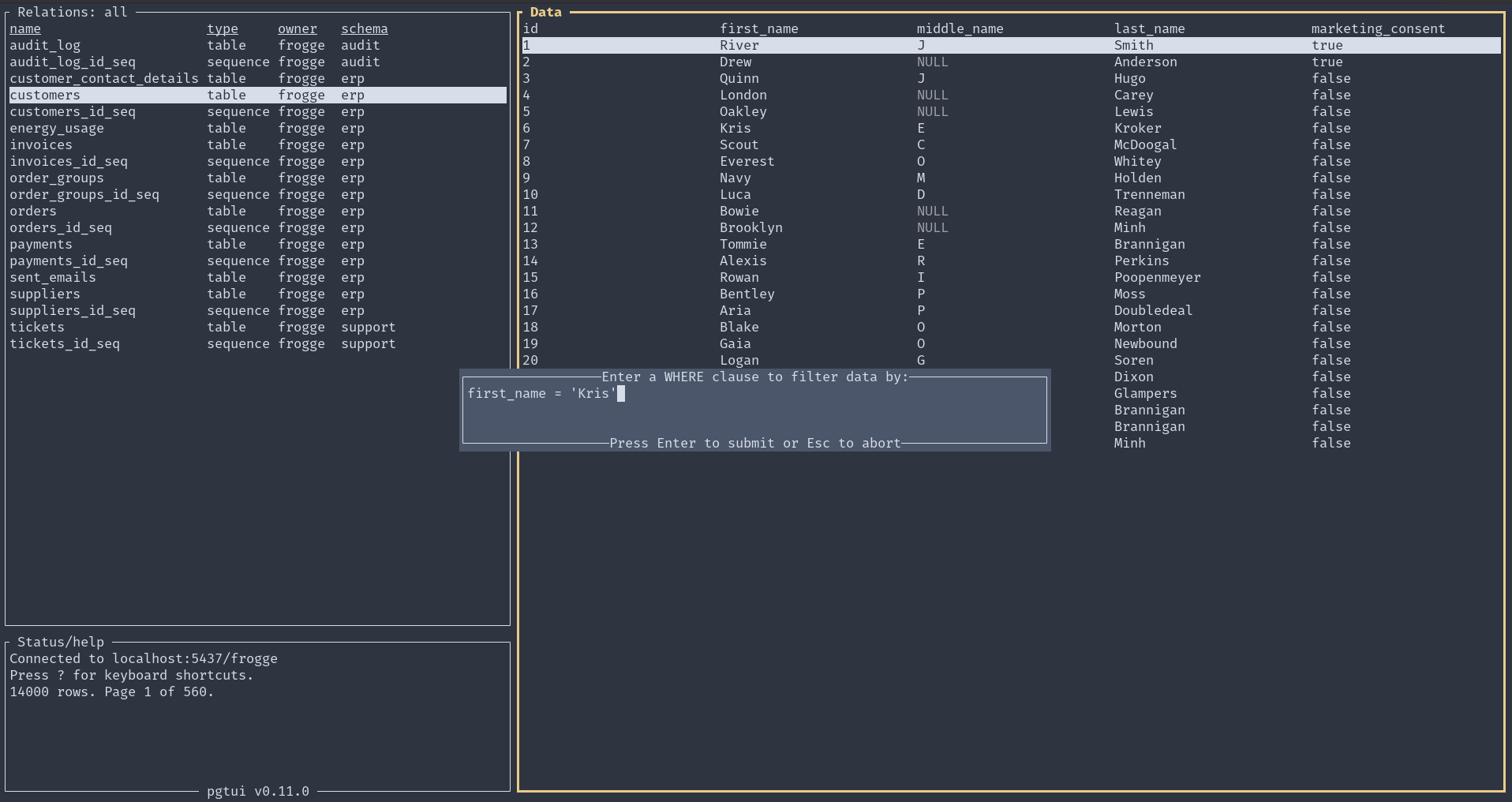
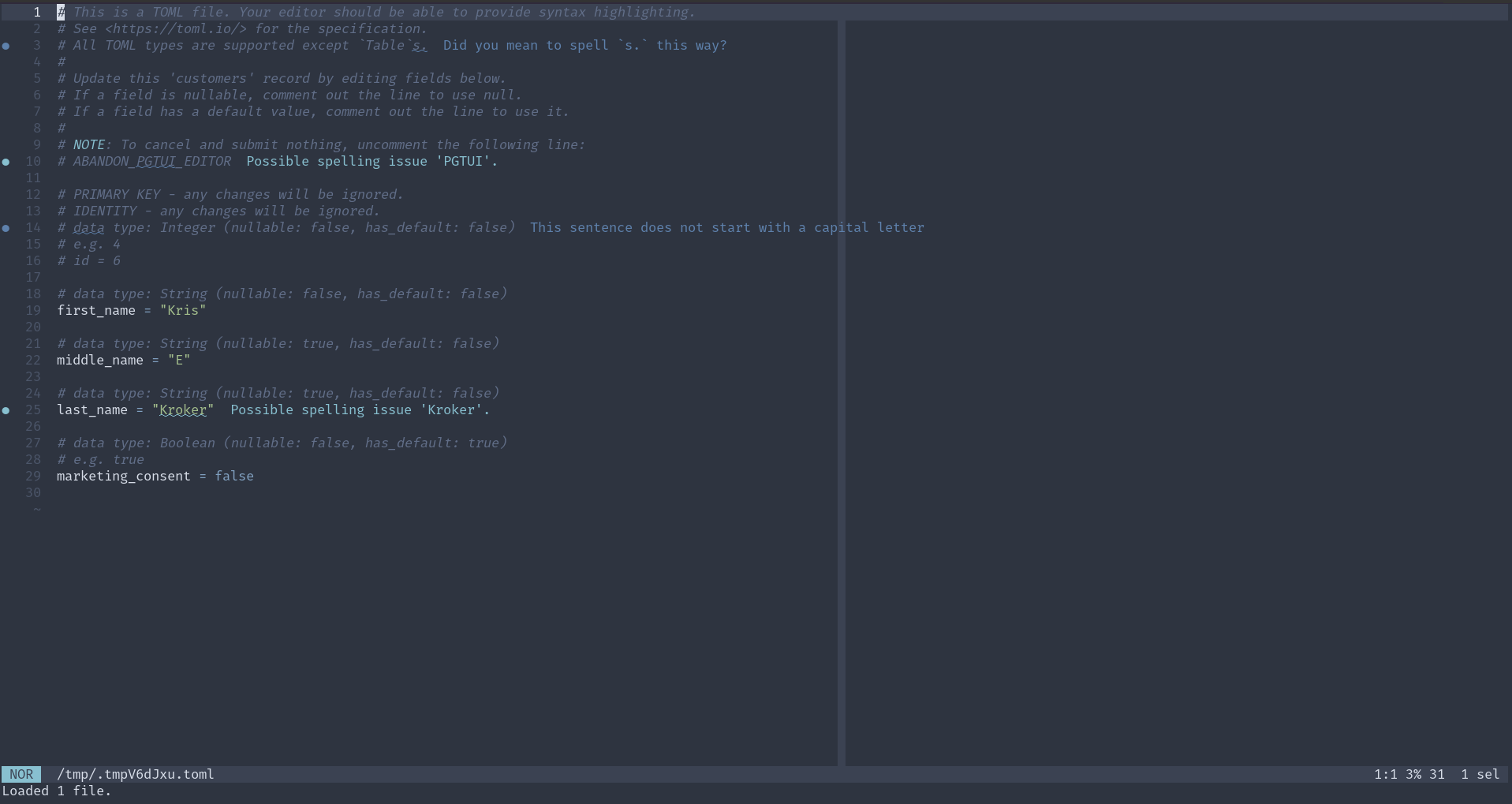
Here is a demo of version 0.10.0:
For further usage and installation instructions, see the README.
rsync with --update
February 8, 2025
Calling rsync with the --update flag will "skip files that are newer on the receiver", according to the man page. That is, it will only copy the file over if it is newer than the destination file. scp can't do this, and so it's a nice convenience even if rsync needs to be installed. I discovered this as I am trying to rely more on just and the shell than Ansible, which is good but also kind of gets you out of practice.
cal
December 5, 2023
cal is a useful command; I've often used it to get a visualization of where we're at in the week or month. Since I'm often in the terminal or a couple keystrokes away from one, it's the quickest way to do this. However, just cal doesn't highlight the day, which would be useful. A quick web search revealed that its partner program ncal, does this with ncal -b.
Background and Foreground
August 29, 2021
This is more something I relearned than learned for the first time.
Use Ctrl-Z to put a program you are running from a terminal into the background. You will be taken back to the terminal. Can do other stuff. Then use fg to bring the program you put into the background back into the foreground - back to the active program in the terminal. I think this will be useful in Vim when I don't need to have a dedicated terminal running in a window.